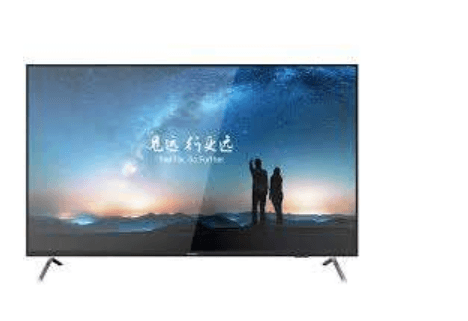
Buying a monitor feels straightforward until you are standing in front of three different screen sizes, genuinely unsure which one will be worth your money. Size is the first thing most buyers notice, yet it is rarely the smartest place to start. Getting this decision wrong means either straining your eyes daily or paying for screen real estate you will never properly use.
Knowing the monitor price in Kenya across different screen sizes helps buyers make smarter, more informed decisions, and Dataworld Systems offers a range of monitor options suited to varied budgets and workspace needs across East Africa. Prices shift noticeably between 22-inch, 24-inch, and 27-inch categories, and understanding what drives those differences saves you from overspending on features your daily workflow simply does not require.
The Size Trap Most Buyers Fall Into
The Bigger Assumption: Most buyers instinctively reach for the largest screen available, believing bigger always translates to better value. That logic works for some purchases, but monitors are not televisions. A screen that dominates your desk without matching your actual usage habits is a misuse of budget, and the discomfort of an oversized panel quietly adds up during long working sessions.
What Stays Hidden on the Shelf: Retailers display monitors in showroom conditions, with optimal lighting and viewing angles that rarely reflect your actual workspace. A 27-inch screen that looks striking from two metres away may feel overwhelming at a 50-centimetre desk distance. Size comparisons only tell part of the story, and buyers who overlook that context often regret the purchase within weeks.
Distance, Work Type, and the Comfort You Might Be Ignoring
Viewing Distance Changes the Equation: Ergonomics guidance suggests a general rule: every inch of screen pairs best with roughly 2.5 centimetres of viewing distance. At a standard office desk, a 22-inch or 24-inch monitor typically sits at a comfortable arm’s length, reducing eye strain across extended sessions. Pushing beyond 24 inches at close range forces unnatural head movements that contribute to neck fatigue over time.
Screen Resolution and the Size Connection: The screen resolution a monitor carries becomes critically important as screen size increases. A 27-inch panel running at 1080p will appear noticeably softer than that same resolution on a 24-inch display. Buyers upgrading to a larger screen often find the image quality they expected requires a higher-resolution model, which adds to the overall cost and changes the value calculation considerably.
Work Type as the Deciding Variable: Designers, video editors, and users who multitask heavily across several applications genuinely benefit from additional screen space. The majority of office users, students, and home workers do not. Spreadsheets, documents, and video calls perform just as well on a well-positioned 24-inch screen, often with sharper focus and fewer distractions than an oversized panel creates at close range.
Where the Budget Gap Actually Comes From
Entry-Level to Mid-Range Pricing in Kenya: The price difference between a 22-inch and 24-inch monitor in Kenya is typically moderate, often within a few thousand shillings, making that step manageable for most buyers. The jump to 27 inches is considerably steeper, and that gap widens further when higher pixel density panels are factored in, since most productivity-focused 27-inch displays need better resolution to look genuinely sharp.
What That Extra Cost Delivers: A larger, higher-specification screen commands more money for legitimate technical reasons, but those reasons only benefit specific users. Paying for a 27-inch display when your workday involves a browser, documents, and email is not an upgrade in any practical sense. It is a mismatch between budget and purpose, and one that many buyers only recognise once the purchase is complete.
What Each Size Typically Suits
- 22-inch monitors: Ideal for tight desk spaces, basic office tasks, and budget-conscious buyers who prioritise compact value over display area.
- 24-inch monitors: The most versatile option for general productivity, everyday computing, and buyers who want balance between screen space and price.
- 27-inch monitors: Best suited for creative professionals, video editors, and users who regularly work across multiple application windows simultaneously.
- All sizes: Benefit from matching the resolution to the panel size to avoid image softness, visual fatigue, or unnecessary additional expense.
See also: How No-Code Is Changing Development
Matching Screen Size to the Way You Actually Work
The Practical Case for 24 Inches: For most buyers in Kenya, a 24-inch monitor represents the point where size, price, and everyday usability come together most naturally. It offers enough working area without requiring a desk rearrangement or a resolution upgrade just to make the image acceptable. For typical office environments and home setups, 24 inches is where sensible buying decisions tend to land.
When 27 Inches Earns Its Price: Buyers in design, photography, video production, or complex data analysis can justify the additional spend. Working across a larger canvas reduces constant window-switching and creates an environment that genuinely supports output quality. The condition is that the work must actually demand that space. Personal preference alone rarely justifies the cost difference in a professional or business context.
Size Chosen, Money Spent Wisely
Selecting the right monitor size is less about first impressions and more about what your work, desk, and budget can realistically support. Matching screen size to actual daily use prevents both the frustration of a cramped display and the regret of overspending on space you will never fill. Explore available monitor options to find a display that genuinely serves your workspace every single day.